When Claude Code Restores the Peace at Home
This post is also available in German: Wenn Claude Code den Haussegen gerade rückt
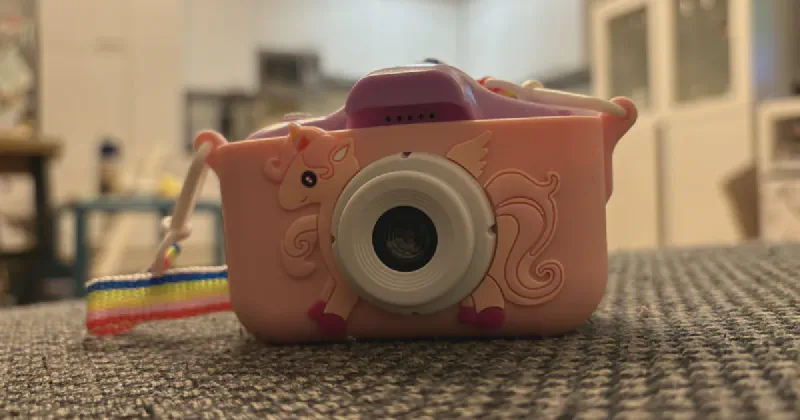
The camera came from the grandparents, one of those kids’ cameras in the €19.99 category with a 32 GB microSD card inside, and one day somebody in our family pressed “Delete all”. More than a year of photos disappeared from the little screen with one click. My wife was really cross, and I learned on the spot that starting a conversation about backup strategy, and whose job that would have been, doesn’t help anyone in that moment. I wasn’t confident I could fix it either. All I knew was that deleted files can come back under certain conditions, because a file system usually doesn’t wipe anything when you delete it, it just marks the space as free, and the data stays on the card until something new gets written on top of it. I also knew there’s specialised recovery software out there, and local shops that do this for you, but taking the card somewhere or downloading some tool I’d never heard of felt like far too much hassle. Whether those conditions held for this card, I had no idea. What I didn’t expect was that the recovery itself would take ten minutes and the interesting part would be everything after it.
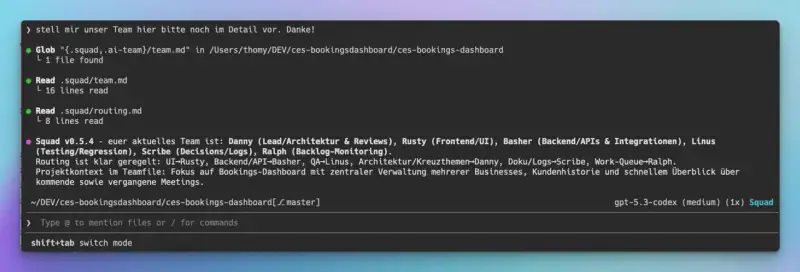
So I opened Claude Code in the terminal on my Mac and did the whole thing there, in dialogue. Claude ran the commands, I answered questions and gave the go where it was needed. It took roughly an hour and a half with the failed attempts included, and every tool involved was either open source or already part of macOS.
To be clear about the stakes, this is photo 734 of 744. It was taken on a Tuesday afternoon in May, it shows the TV, and to the photographer it matters every bit as much as the other 743.
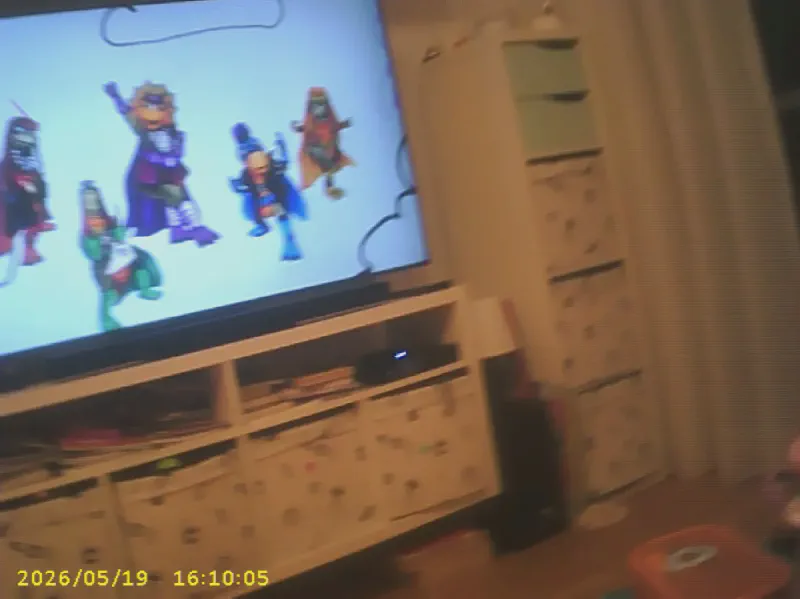
Image first, then carve
The first advice was the right one. Stop using the camera, don’t take a single new photo, don’t format, and above all don’t let macOS offer to “repair” the card. Then make a one-to-one image of the card and never touch the original again. Claude found the card as /dev/disk4 (31.3 GB, FAT32), installed PhotoRec via Homebrew, checked that there was enough free space for a 29 GiB image and unmounted the card.
Imaging the card then took three attempts. The dd command Claude had prepared only ran once I pasted it into a normal Terminal window myself, and the reason for that turned out to be the most interesting failure of the whole session.
With the image on disk, PhotoRec did what PhotoRec does. It scans raw data for file signatures (file carving), so it doesn’t need a file system at all. I asked for JPEG, AVI, MOV and MP4, and within a few seconds it had found around 1,500 files. After a few minutes it was done with 1,490 JPEGs and not a single video. Claude sorted them by resolution, which turned up 745 full-size photos at 5344×4000, 744 small 640×480 previews the camera stores alongside each shot, and one odd one out. The numbering followed the order on the card, which is roughly the order they were taken in.
A camera that writes no dates
The camera doesn’t write EXIF. There’s no capture date in the files and no camera model either. Importing 745 files like that into Apple Photos means 745 photos dated the day of the import, piled up in one spot of the library where you can’t find anything by date.
What the camera does do is burn date and time into the bottom left corner of every picture in yellow, like 2025/05/19 07:22:29. So the date was there, just as pixels. Claude suggested reading it back with OCR and writing it into the files as a real capture date, and since there’s no tool for exactly that, it wrote one. It’s a small Swift program on top of the Vision framework that ships with macOS, so nothing left the machine.
The first run found no text at all. The second version filtered out everything that wasn’t saturated yellow and handed Vision black text on a white background instead, and it still found nothing. Claude then did what I’d have done, only faster, and saved the intermediate images to look at them. The cropped region was flat gray, every pixel of it.
Flat gray is what you get when a JPEG is cut off and the decoder fills the missing rows, so for a moment the suspicion was that PhotoRec had carved incomplete files. Claude checked it with a second little program that decodes each JPEG at full resolution and walks up from the bottom row until it finds a row that isn’t decoder gray, and the photos turned out to be complete. The actual cause was much more boring. Cropping the image as it comes out of ImageIO, before it has been decoded, gave us gray. Drawing it into a bitmap context first and cropping that gave us the timestamp.
// Cropping the lazily decoded JPEG straight from ImageIO yields flat gray, so force a full decode first.
func decoded(_ img: CGImage) -> CGImage? {
    guard let ctx = CGContext(data: nil, width: img.width, height: img.height, bitsPerComponent: 8, bytesPerRow: 0,
                              space: CGColorSpaceCreateDeviceRGB(),
                              bitmapInfo: CGImageAlphaInfo.premultipliedLast.rawValue) else { return nil }
    ctx.draw(img, in: CGRect(x: 0, y: 0, width: img.width, height: img.height))
    return ctx.makeImage()
}
The yellow filter stayed in, by the way. The program reads the bottom 10 percent of the left 40 percent of the image twice, once masked and once as is, and keeps every reading that matches a date pattern.
// The stamp is saturated yellow; render it as black on white so OCR ignores the background.
if r > 170 && g > 170 && r - b > 90 && g - b > 90 { gray[i] = 0 }
Asking the neighbours
Vision read a timestamp on 731 of the 745 photos. In the end 47 of those readings turned out to be wrong, and in 40 of them the culprit was a single 3 in that tiny yellow font, read as an 8, a 9 or a 1. Depending on where the 3 sat, that moved a photo by five seconds, twenty minutes or six days, and every one of those dates looks perfectly plausible on its own.
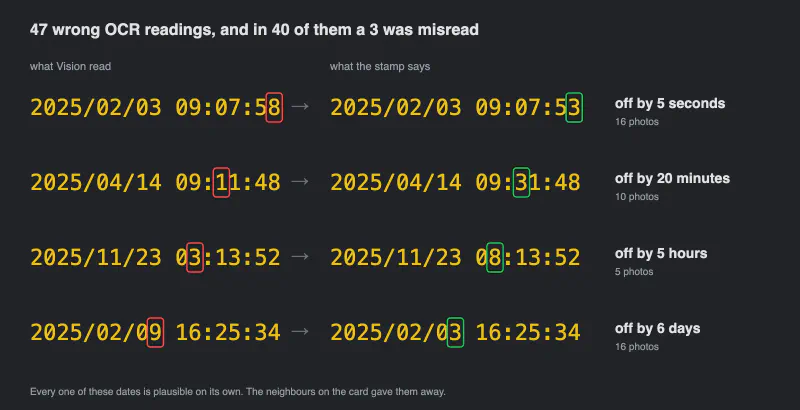
This is the bit I liked best, and it’s what I’d take from this for any OCR job. A single photo can’t tell you whether its date is right, but its neighbours can. The order on the card is roughly the order of capture, and photos next to each other are usually seconds apart. So the Swift program doesn’t return one reading per photo. It asks Vision for the top ten candidates per text observation, combines them and returns every distinct date it can parse. A short Python script then picks, for each photo, the candidate closest to the median of its neighbours, five on either side, and repeats that three times so the corrections settle.
times = [c[0] if c else None for c in cands]
for _ in range(3):
    for i, c in enumerate(cands):
        m = neighbour_median(times, i)
        if c and m is not None:
            times[i] = min(c, key=lambda t: abs(t.timestamp() - m))
Photos without any readable timestamp (yellow text on a bright yellow background is a real thing) got a date halfway between their neighbours. The script printed out whatever still looked off against its surroundings, and Claude opened those images, read the stamp itself and fixed them by hand. That left 694 dates read directly, 43 corrected automatically through their neighbours, 4 corrected by hand and 3 filled in between neighbours, and after that the whole set was in chronological order without a single jump.
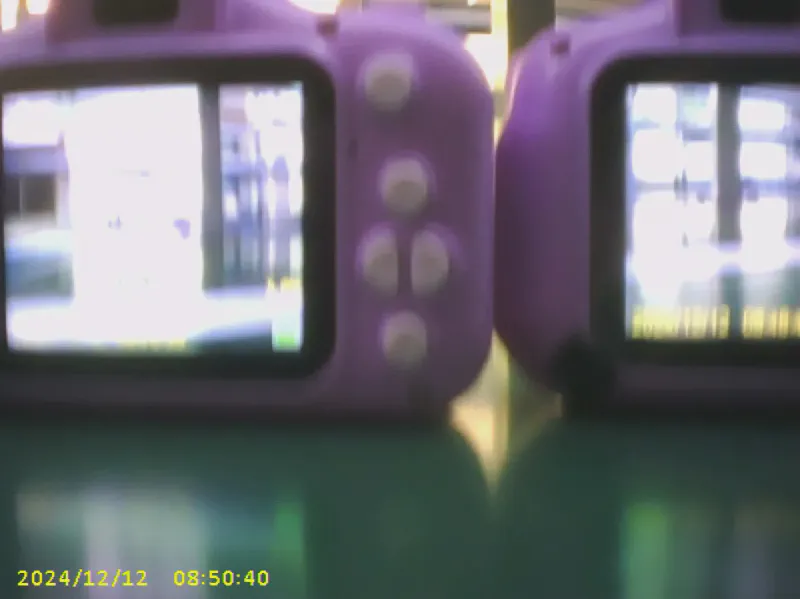
Photo number one, by the way, is from 12 December 2024 and shows two cameras on an assembly line. It’s a test shot from the factory, and it’s the only picture from that card I’d put on a blog.
Into Photos, and into the family
exiftool wrote the capture date into every file, both EXIF and the file’s modification date. An AppleScript imported them straight into a new album in the Photos app, 744 photos from 3 February 2025 to 23 May 2026, and when I checked, not a single one carried the import date.
Then the question of sharing, where Claude explained something I’d half known. A shared iCloud storage plan doesn’t mean shared photos. You either use a Shared Library (full quality) or a Shared Album, which scales images down to around 2048 pixels. We went with the album, and for this camera that loses practically nothing, because it upscales to 5344×4000 from a sensor that delivers roughly 2 megapixels. A shared album also doesn’t count against anyone’s iCloud storage. The 29 GB image got deleted at the end, because I asked for it.
Root wasn’t enough
Back to the wall. Claude’s first attempt at imaging the card was sudo dd through the ! shell in Claude Code. That fails immediately, because sudo gets no terminal there and can’t ask for a password. The second attempt went through the macOS password dialog with osascript … with administrator privileges. I typed my password, macOS accepted it, and dd still answered “Operation not permitted”.
That’s TCC, the privacy layer in macOS. Root doesn’t get you past it, because TCC looks at which app a process belongs to and what that app has been allowed to touch, and a process started from the Claude session wasn’t allowed to read the raw removable disk. The exact same command, pasted by me into a normal Terminal window, ran through and produced the full image.
What I appreciated is that Claude named both failures, explained them and handed me the command to run myself, instead of trying the same thing a third time with different flags. And looking back at the whole session, the split between us was clean in a way I hadn’t planned. I made the decisions and did the steps that needed rights or a click in a UI, from typing my password to the sharing settings in Photos. Claude did the rest, including three little programs I’ll never need again.
For me that’s the actual takeaway for anyone running coding agents on their own machine. The line between what the agent does and what you do isn’t drawn by the prompt or by how much you trust the model. Here it was drawn by the operating system, at exactly the point where a mistake would have been expensive, which is raw write access to a disk. It’s tempting to treat that as friction and hand the agent’s host app every permission so it stops happening. I’d leave the wall where it is. Pasting one command myself cost me ten seconds, and I knew exactly what I was running.
And if this ever happens to you, stop using the card the moment you notice. Every new photo can land on top of an old one.
Everyone at home is happy again, by the way. We still don’t have a backup strategy, though, because Claude can carve files off a card and read dates out of pixels, and it still can’t magically fix the process topics, not even at home.
Enjoyed this post? Let's continue on LinkedIn.
Follow on LinkedIn